Change text in image, spelled exactly

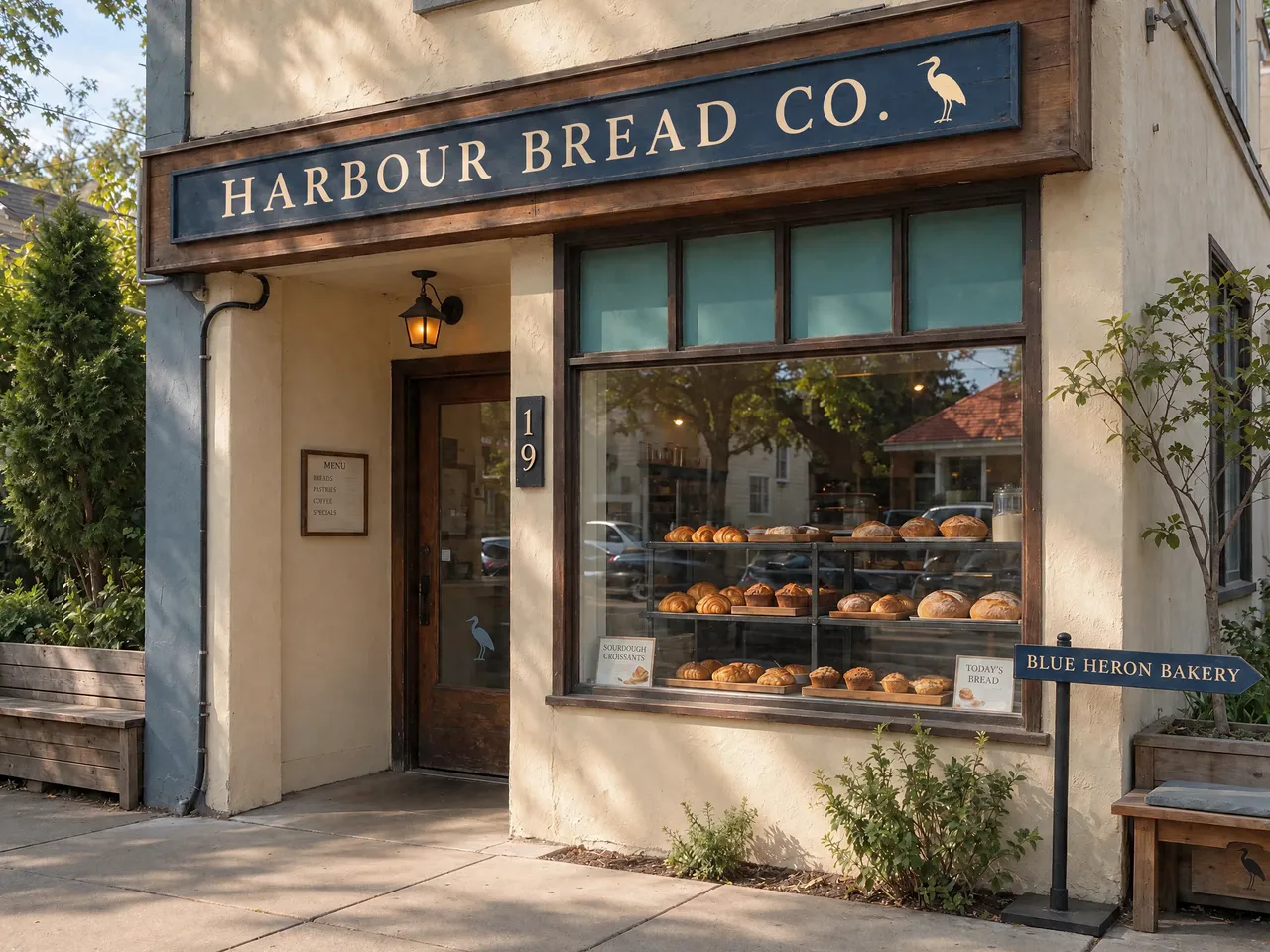
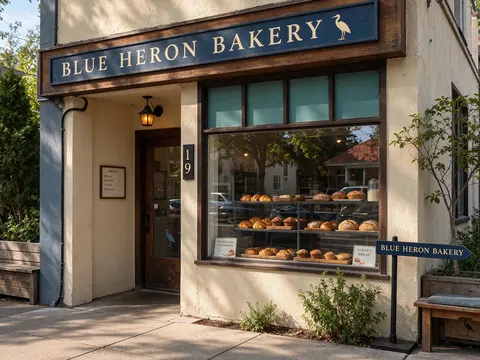
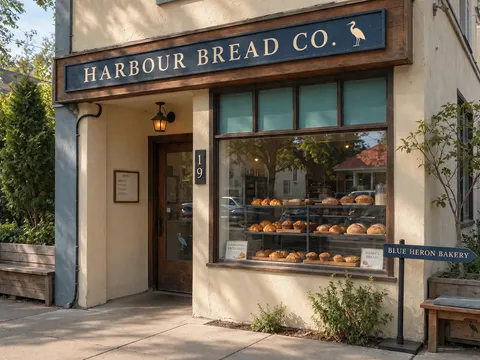
A bakery sign rewritten letter for letter with a new name in the same lettering style

Change or add words in the image. Put the exact words in quotes and they are spelled letter for letter.

This edit costs

36 credits

Sign up free: 50 credits

Your free credits cover two point-and-edits (25 credits each).

To change text in an image, upload it, pick Exact text and write the new words in quotes: the shop sign says "OPEN LATE". The model rewrites those words letter for letter in a style that fits the surface they are on, and keeps the rest of the picture as it was. It works for signs, labels, posters, packaging and screens, and you can add words where there were none.

Updated

How it works

  1. 1

    Upload the image

    JPG, PNG or WebP up to 10 MB. The text you want to change should be readable in the upload; tiny or blurred lettering is harder to replace cleanly.

  2. 2

    Write the new words in quotes

    Say where and what: the banner says "SPRING SALE", the date under it says "MAY 3". Everything inside the quotes is spelled exactly. The editor shows the credit price before you run.

  3. 3

    Check the spelling, then continue

    The result arrives as a new layer. Zoom in, compare with Show before, and run another Exact text edit from that layer if a second line needs changing.

Good for

  • Swapping the headline, date or price on a poster or flyer
  • Changing a shop sign, menu board or label in a photo
  • Trying name or slogan options on a product mockup
  • Adding a short caption onto a wall, banner or package
A bakery sign rewritten letter for letter with a new name in the same lettering style: BeforeA bakery sign rewritten letter for letter with a new name in the same lettering style: After

Exact text

“Change the sign above the window to "HARBOUR BREAD CO."”

Full prompt

Change the sign above the window to "HARBOUR BREAD CO.". Spell every requested word exactly as written, letter for letter, in a style that fits the surface it is on. Keep the rest of the image as it is.

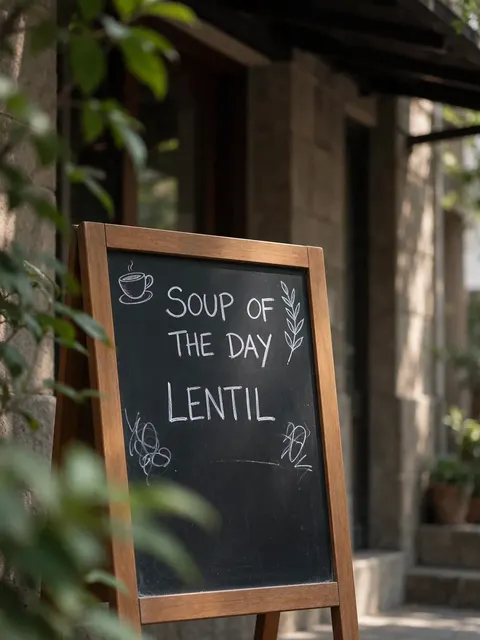
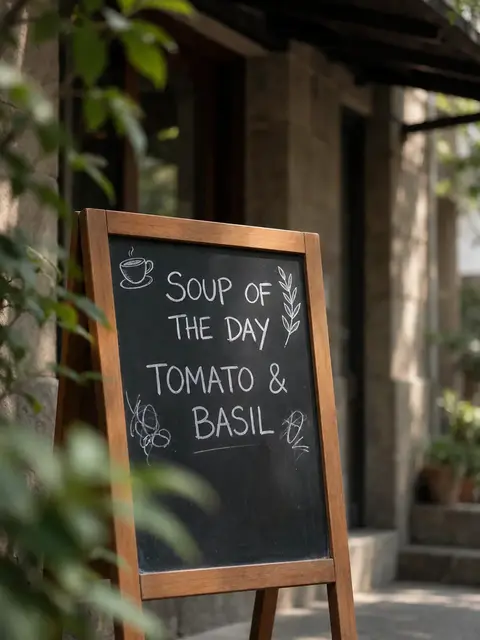
A café chalkboard with the soup name rewritten in matching chalk lettering: BeforeA café chalkboard with the soup name rewritten in matching chalk lettering: After

Exact text

“Change LENTIL on the chalkboard to "TOMATO & BASIL"”

Full prompt

Change LENTIL on the chalkboard to "TOMATO & BASIL". Spell every requested word exactly as written, letter for letter, in a style that fits the surface it is on. Keep the rest of the image as it is.

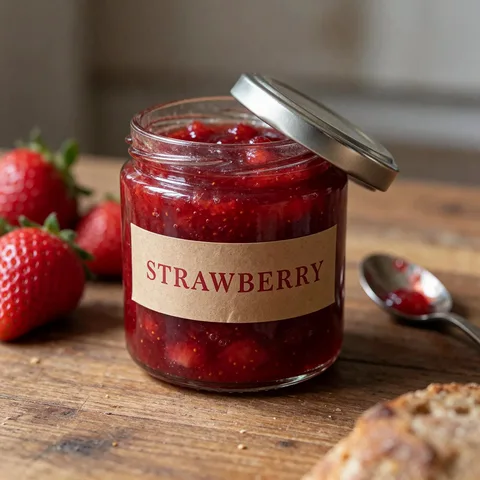
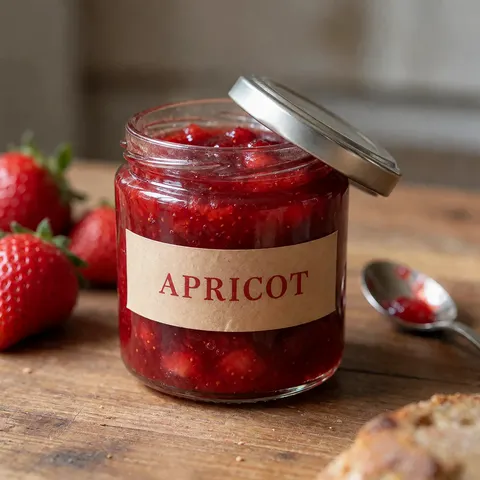
A jam jar label changed from STRAWBERRY to APRICOT in the same print style: BeforeA jam jar label changed from STRAWBERRY to APRICOT in the same print style: After

Exact text

“Change the label to "APRICOT"”

Full prompt

Change the label to "APRICOT". Spell every requested word exactly as written, letter for letter, in a style that fits the surface it is on. Keep the rest of the image as it is.

01

How exact lettering works

Exact text runs a model that is strong at rendering type. It reads your instruction, finds the words to replace or the place to add them, and draws the new letters with the surface in mind: printed ink on a poster, raised letters on a sign, a curved label on a bottle. Words inside quotes are treated as fixed: spelling, capitals and punctuation stay as typed. The rest of the image is kept as it is, though small shifts in nearby pixels can happen because the model redraws the frame.

02

Getting the style to match

Without a style hint the model matches what is already there: the same weight, colour and roughly the same font. To change the look, say it in a few words: "in bold white capitals", "handwritten in chalk", "the same font, but red". Keep the new text about as long as the old one when you replace words; a much longer line has to shrink or wrap. Long paragraphs and very small print are where errors creep in, so split them into short lines and run one edit per line.

03

What you can and cannot change

Change words you have the right to change: your own posters, your shop's sign, a mockup of your product. Altering documents, IDs, receipts or certificates, and removing watermarks, logos or photo credits are not allowed and are refused. Other brands' names and logos should not be added either. If an image is mostly text, such as a screenshot of a page, it is usually faster to recreate it in a design tool.

Credits per edit

The editor shows the exact cost before you run anything. Plans and credit packs

ToolModel1K2K
Point and editGrok Imagine Image 2.025—
Edit with textSeedream 5.53046
Combine imagesSeedream 5.5—71
Exact textGPT Image 2.53659

Questions

Will the new text match the original font?

It matches the look of what is there (weight, colour, size and style) unless you ask for a different one. It does not identify or install a specific font, so very distinctive typefaces come out close rather than identical.

Can I add text where there was none?

Yes. Say where it goes and what it says: a sign above the door that says "STUDIO 4". Mention the style if you want something specific.

Does it work with Chinese or other scripts?

Short Latin text is the most reliable. Chinese, Japanese and other scripts often work for a few characters; check the result closely and keep lines short.

What output sizes are there?

1K for everyone, about 1,000 pixels on the long side, and 2K with a plan or credit pack. The editor shows the price for each before you run.

What if a letter comes out wrong?

Run Exact text again from the new layer with just the corrected line, or go back to the previous layer and shorten the text. Failed jobs are refunded automatically; finished results are not.