
AI image editor
Edit images with text: point, type, done
Tap the sofa, say "dark green velvet", and only the sofa changes. Or describe an edit for the whole image, blend in a reference photo, or rewrite the words on a sign. Each result stacks as a layer, with the credit price shown before you run.
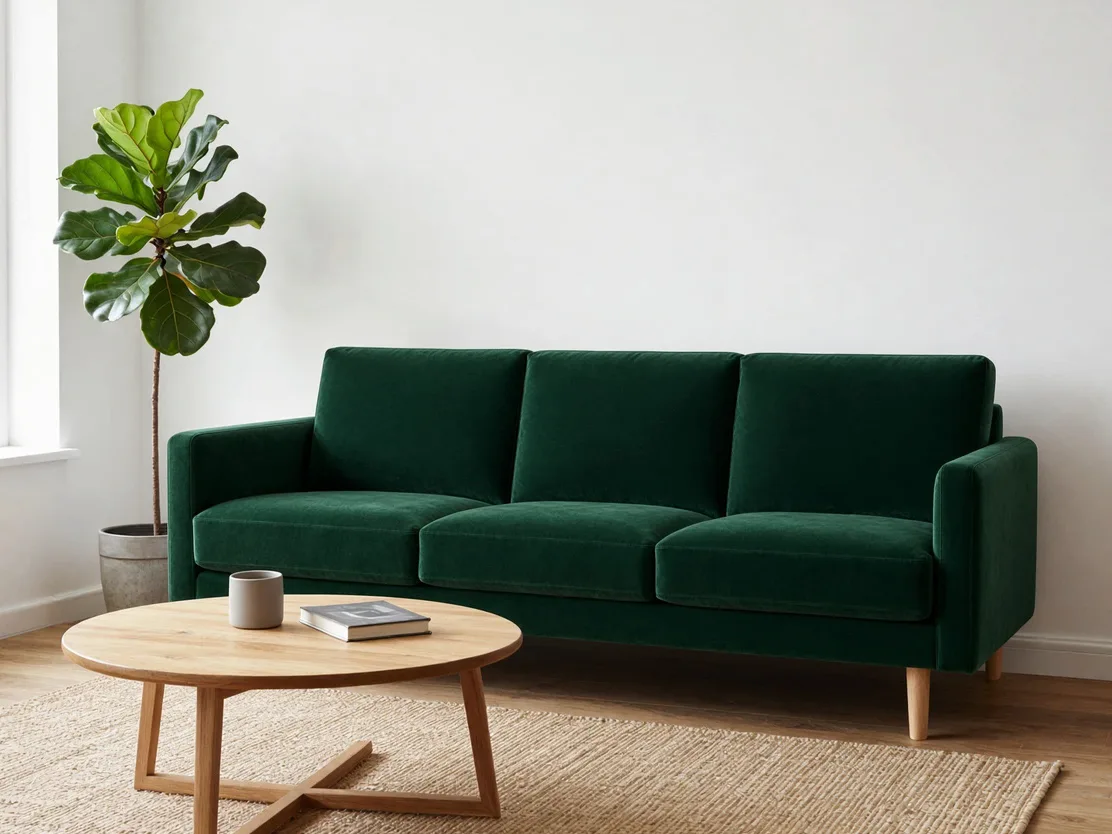
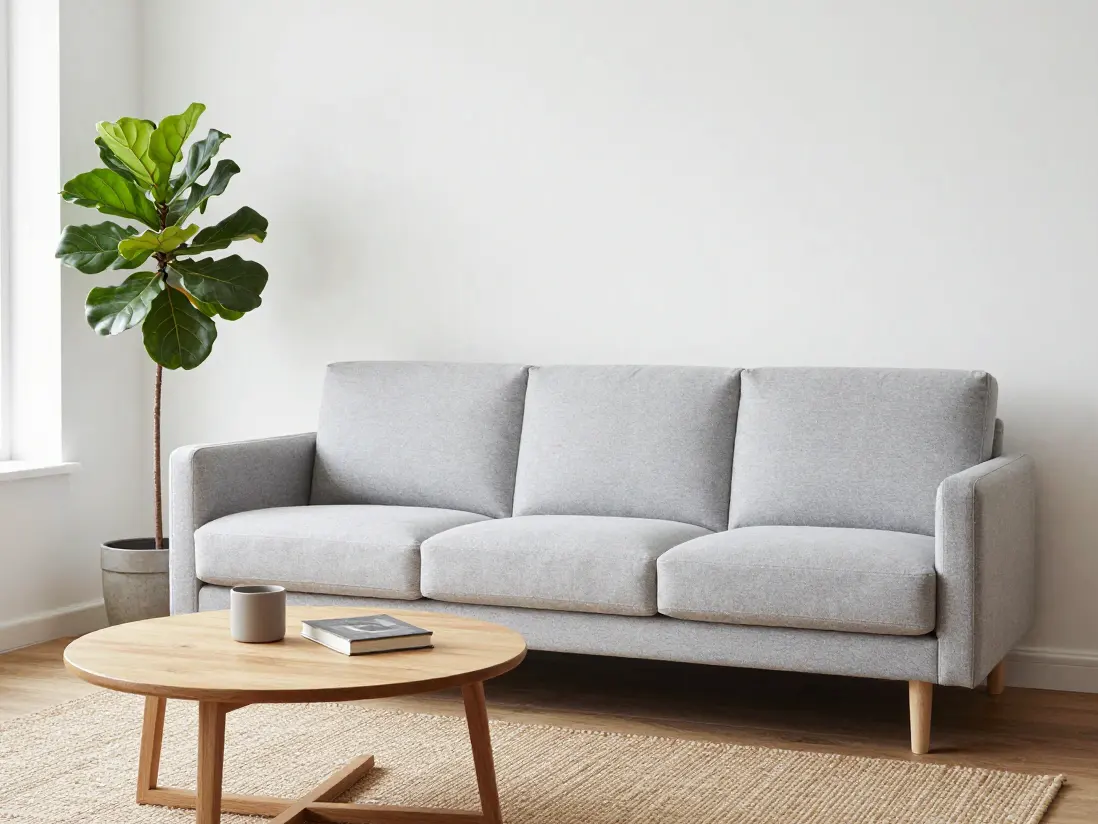
Tap the parts to change, then say what they become. Everything outside them stays as it is.
This edit costs
25 credits
Your free credits cover two point-and-edits (25 credits each).
Four tools
An image edit AI with four tools
Each tool runs the image model that suits it best, at a fixed credit price.
- 25 credits
Point and edit
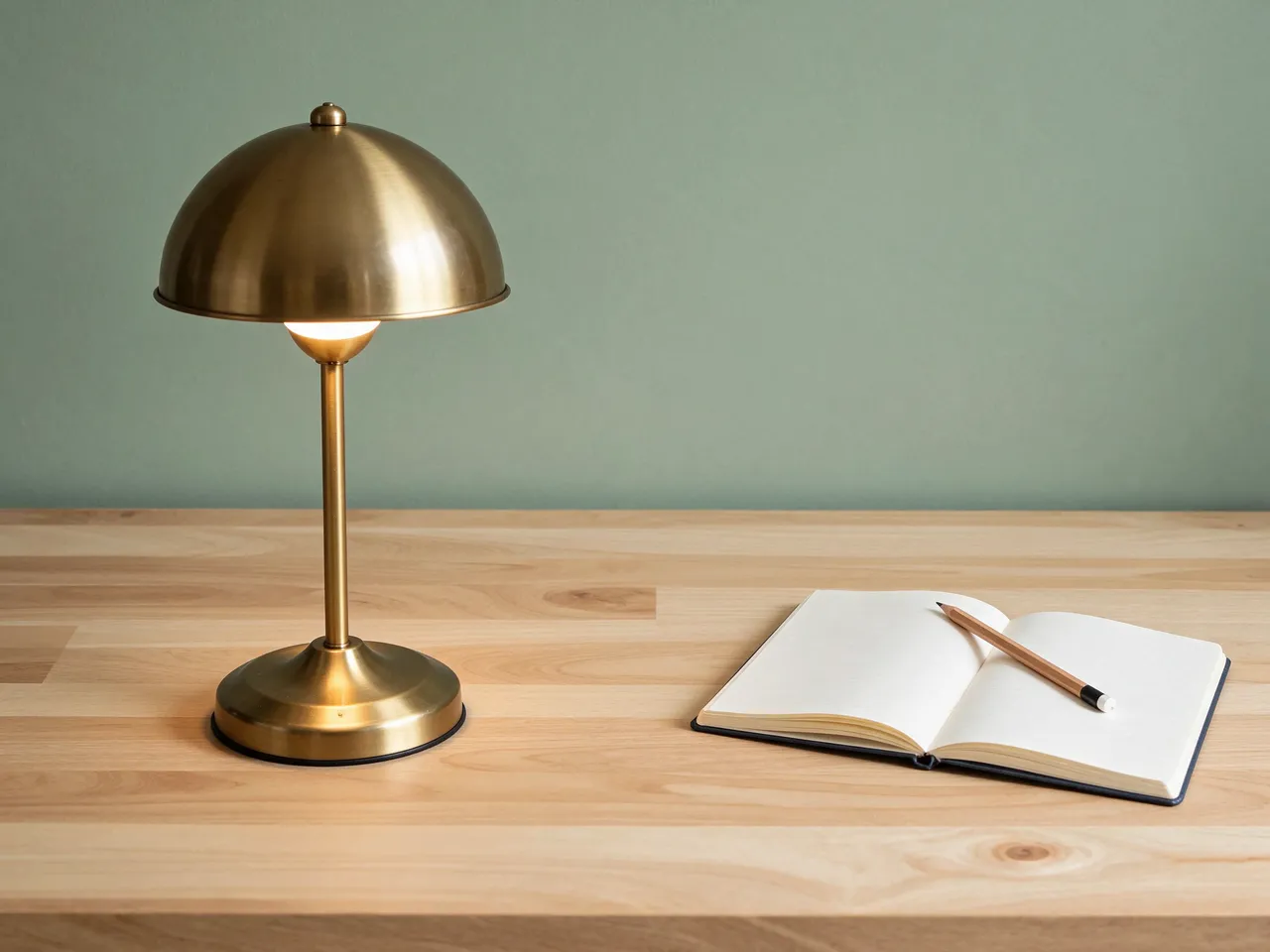
Tap the parts to change. The image is split into areas first, so you pick the lamp or the wall, say what it becomes, and the rest stays as it was.
More about Point and edit - 30 credits
Edit with text
One instruction for the whole image: "make it golden hour", "turn the room Scandinavian". Best for changes that touch everything.
- 71 credits
Combine images
Add up to three reference images and say how they go together, such as "put the chair from image 2 by the window".
More about Combine images - 36 credits
Exact text
Change or add words in the image, spelled exactly as you type them: signs, posters, packaging, menus.
More about Exact text
Before and after
Real edits from this editor
Unretouched outputs on AI-generated sample images. The exact instruction is listed under each one.
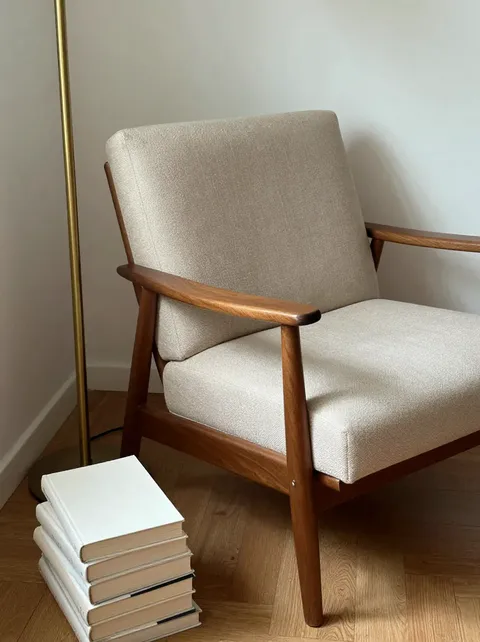
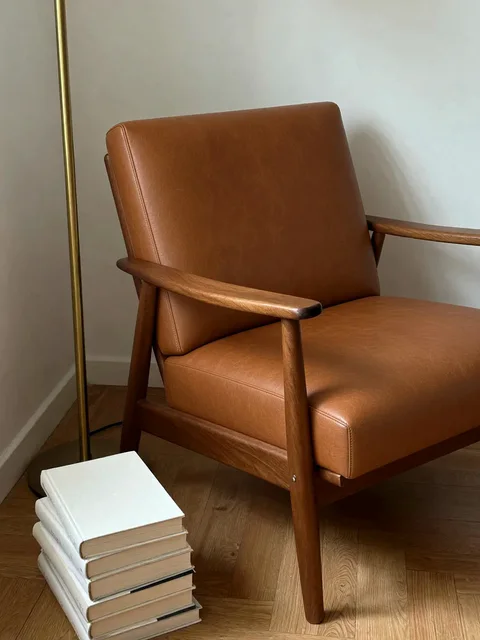
Point and edit
“Reupholster the armchair in cognac leather”
Areas picked: armchair
Full prompt
Reupholster the armchair in cognac leather. Change only the selected areas and keep everything outside them exactly as it is.
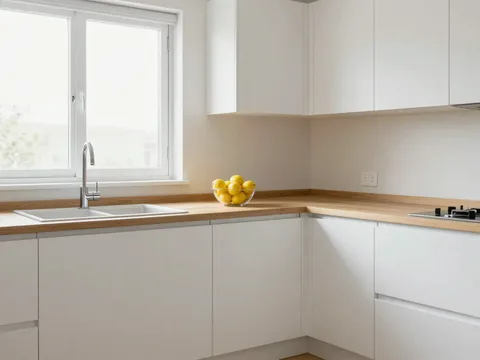
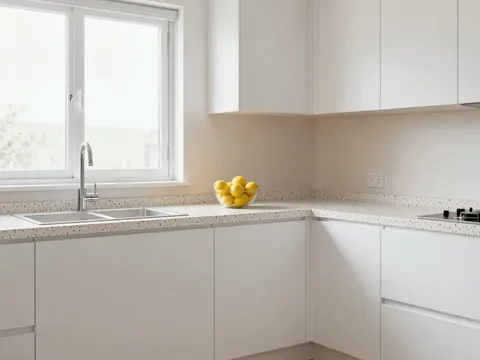
Point and edit
“Make the countertop white terrazzo with small grey and terracotta chips”
Areas picked: wooden countertop
Full prompt
Make the countertop white terrazzo with small grey and terracotta chips. Change only the selected areas and keep everything outside them exactly as it is.
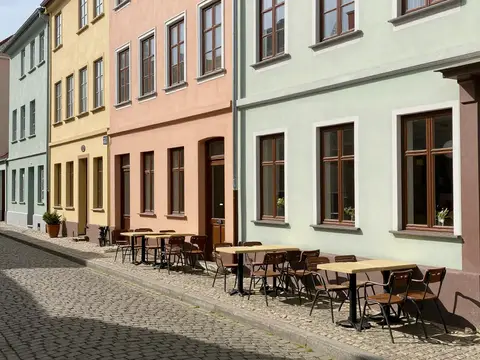
Edit with text
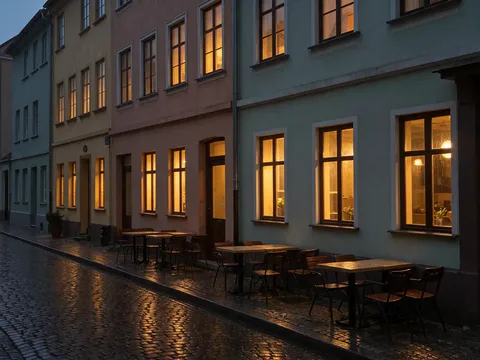
“Turn it into a rainy evening with wet cobblestones reflecting warm window lights”
Full prompt
Turn it into a rainy evening with wet cobblestones reflecting warm window lights. Keep everything the instruction does not mention as it is: the same framing, people, objects and text.
Edit with text
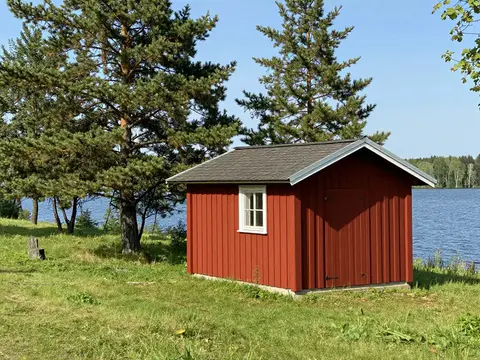
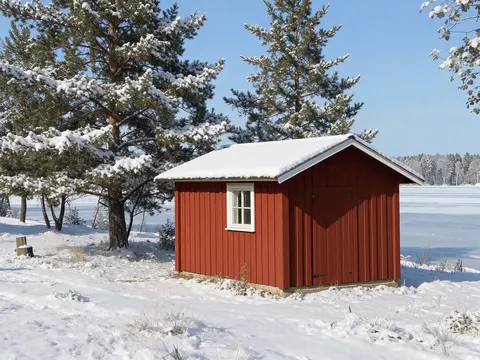
“Make it a snowy winter day with the lake frozen and snow on the roof and trees”
Full prompt
Make it a snowy winter day with the lake frozen and snow on the roof and trees. Keep everything the instruction does not mention as it is: the same framing, people, objects and text.
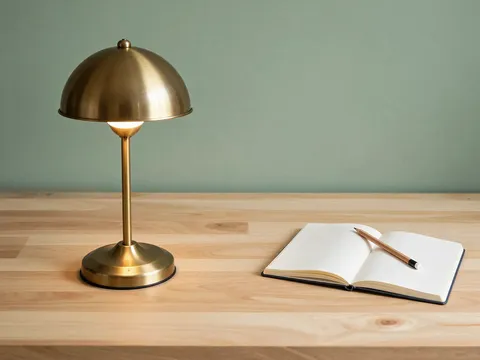
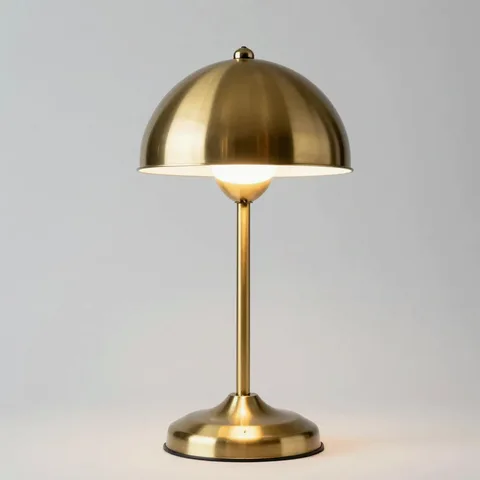
Combine images
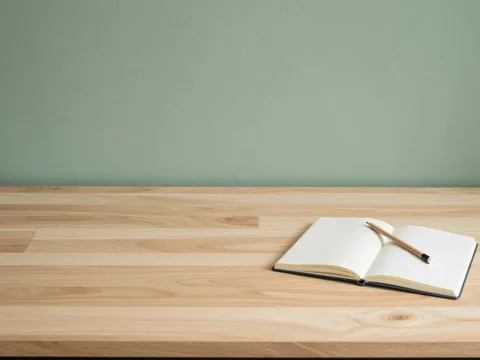
“Put the lamp from image 2 on the left side of the desk, at a natural size for a desk lamp”
Full prompt
Image 1 is the image to edit. Image 2 is a reference. Put the lamp from image 2 on the left side of the desk, at a natural size for a desk lamp. Keep image 1's framing, perspective and lighting, and match anything taken from a reference to that light. Do not add text or logos that are not asked for.
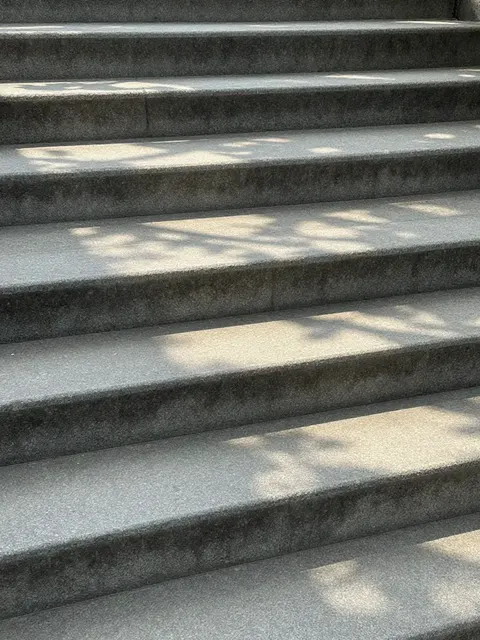
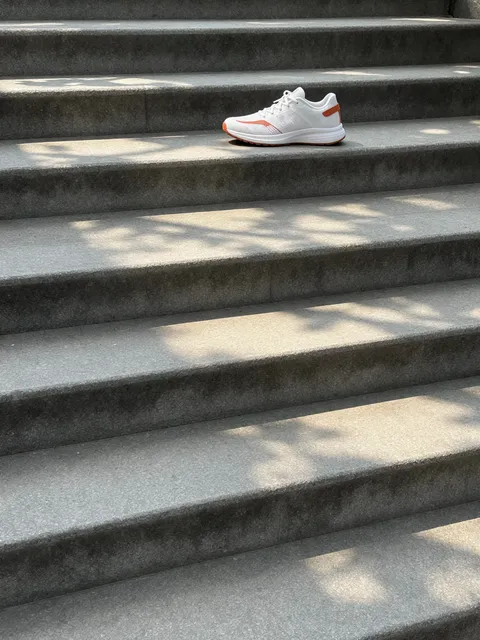
Combine images
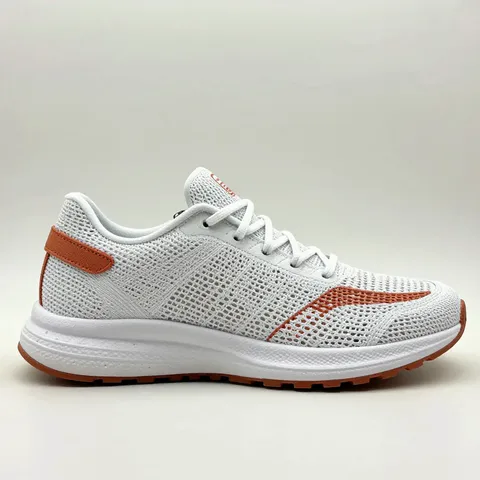
“Place the shoe from image 2 on the second step, side view, at a realistic size”
Full prompt
Image 1 is the image to edit. Image 2 is a reference. Place the shoe from image 2 on the second step, side view, at a realistic size. Keep image 1's framing, perspective and lighting, and match anything taken from a reference to that light. Do not add text or logos that are not asked for.
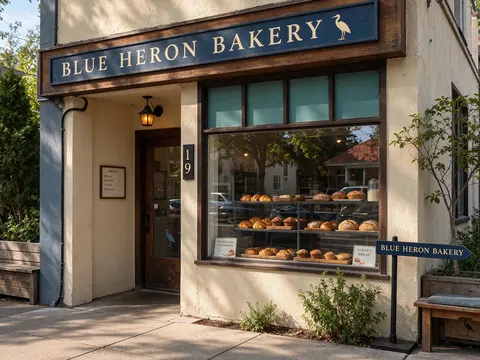
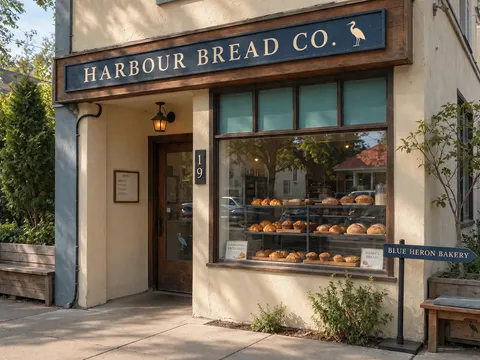
Exact text
“Change the sign above the window to "HARBOUR BREAD CO."”
Full prompt
Change the sign above the window to "HARBOUR BREAD CO.". Spell every requested word exactly as written, letter for letter, in a style that fits the surface it is on. Keep the rest of the image as it is.
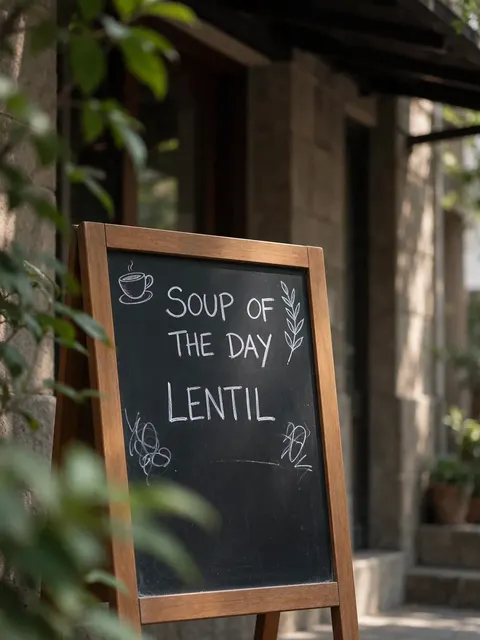
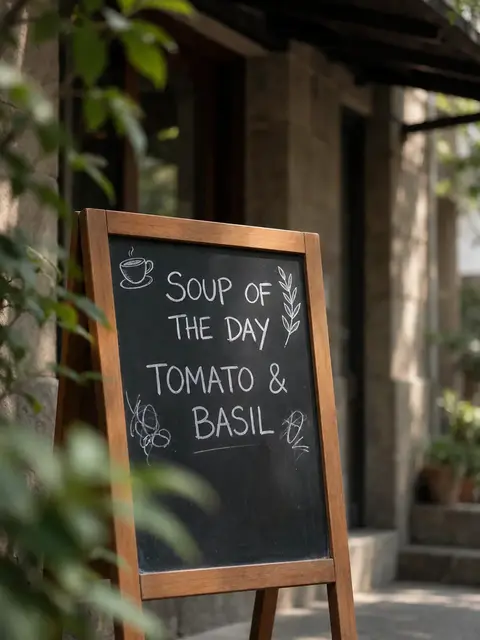
Exact text
“Change LENTIL on the chalkboard to "TOMATO & BASIL"”
Full prompt
Change LENTIL on the chalkboard to "TOMATO & BASIL". Spell every requested word exactly as written, letter for letter, in a style that fits the surface it is on. Keep the rest of the image as it is.
How it works
How to edit an image with AI
Three steps, whichever tool you use.
- 01
Upload an image
JPG, PNG or WebP up to 10 MB. It is stored privately in your account.
- 02
Pick a tool and say what changes
Tap areas, add reference images or type the exact words, then write the instruction. The credit price updates as you go.
- 03
Compare, stack, download
Compare with the layer before, keep editing on top of the result, or go back to any earlier layer. Download the one you like.
Credits
What each edit costs
One model per tool, with a fixed price per output size. Splitting the image into areas is free.
| Tool | Model | 1K | 2K |
|---|---|---|---|
| Point and edit | Grok Imagine Image 2.0 | 25 | — |
| Edit with text | Seedream 5.5 | 30 | 46 |
| Combine images | Seedream 5.5 | — | 71 |
| Exact text | GPT Image 2.5 | 36 | 59 |
2K output and Combine images need a plan or a credit pack. Credits are only kept for edits that finish.
Pricing
Plans for one editor or a whole studio
Three personal plans, two team plans with seats, and credit packs for occasional use. New accounts get 50 free credits once: two point-and-edits.
Selection
About a hundred point-and-edits a month
$8.79/month
$105.50 billed once a year
or $10.55 billed monthly
- 2,565 credits a month
- About 102 Grok Imagine Image 2.0 edits at 1K
- 30,780 credits a year, 2,565 added each month
- Two edits at a time
- Up to 2K output
Freehand
For creators who edit images every day
$20.04/month
$240.50 billed once a year
or $24.05 billed monthly
- 6,160 credits a month
- About 246 Grok Imagine Image 2.0 edits at 1K
- 73,920 credits a year, 6,160 added each month
- Six edits at a time
- Up to 2K output
- API keys and MCP from scripts
Layer Stack
For shops and studios editing whole catalogues
$45.79/month
$549.50 billed once a year
or $54.95 billed monthly
- 14,830 credits a month
- About 593 Grok Imagine Image 2.0 edits at 1K
- 177,960 credits a year, 14,830 added each month
- Six edits at a time
- Up to 2K output
- API keys and MCP from scripts
Team plans
Billed per seat, from 3 seats. Every seat adds credits to one shared pool, and members join by invite link.
Design Crew
A shared pool for a small design team
$210.50per seat a year
or $21.05 per seat billed monthly
3 seats: $631.50 in total
- 16,530 credits a month in the pool (5,510 per seat)
- One shared credit pool for the team
- Six edits at a time
- Up to 2K output
- API keys and MCP from scripts
Mockup Studio
A larger shared pool for busy studios
$489.50per seat a year
or $48.95 per seat billed monthly
3 seats: $1,468.50 in total
- 39,690 credits a month in the pool (13,230 per seat)
- One shared credit pool for the team
- Six edits at a time
- Up to 2K output
- API keys and MCP from scripts
Credit packs
One-time purchase, no subscription. Pack credits never expire and join the same balance as your plan.
Quick Mask · $6.07
1,175 credits that never expire, about 47 edits at 1K. Unlocks 2K output and Combine images.
Brush Set · $15.07
3,090 credits that never expire, about 123 edits at 1K. Unlocks 2K output and Combine images.
Swatch Book · $35.95
7,730 credits that never expire, about 309 edits at 1K. Unlocks 2K output and Combine images.
Free: 50 credits once, added when you confirm your email, no card needed. That is two point-and-edits. One grant per mailbox. They never expire.
Refunds within 7 days (monthly), 21 days (yearly) or 14 days (credit packs) if no more than 10% of the credits were used; the unused part comes back pro rata.
Questions about editing images with AI
What is Img Edit AI?
Img Edit AI is an image editor that runs in the browser and takes instructions in plain words. You can tap the parts of an image to change, describe an edit for the whole image, combine it with up to three reference images, or change the words in it. Every result is a layer you can compare, build on or go back to.
Is it free to try?
New accounts get 50 credits once, added when the email address is confirmed; a point-and-edit costs 25 credits, so that covers two. Each mailbox gets the grant once, and sign-ups from VPN, proxy or hosting networks start without it.
Which AI models does it use?
Each tool runs one model: Point and edit uses Grok Imagine Image 2.0, Edit with text and Combine images use Seedream 5.5, and Exact text uses GPT Image 2.5. The model name is saved with every job in My edits.
Will it change parts I did not pick?
Point and edit sends the areas you tapped along with the image and asks for changes there only, so the rest normally stays as it was. The model still redraws the picture, so tiny shifts elsewhere can happen; compare with the previous layer and go back if you need to.
What images can I upload?
JPG, PNG or WebP files up to 10 MB and at least 256 pixels on each side. Upload only images you own or have permission to edit, and only photos of people who agreed to it.
How large are the results?
Results come out at 1K on the long side without a plan, and at 2K with any plan or credit pack. Point and edit renders at 1K; Combine images renders at 2K.
Who can see my images and results?
Only you; on a team plan the owner sees usage, not your images. There is no public gallery. Images go only to the AI service that runs the edit, and the image and the words you type are checked by an automated safety screen first.
What happens if an edit fails?
Credits are taken when an edit starts. If it errors or times out, they go back to your balance automatically and the job is marked as failed in My edits.
Can I use the results commercially?
Yes, on any plan, as long as you hold the rights to the images you uploaded and the use follows the Terms and the Acceptable Use Policy.
What will it refuse to do?
Edits that sexualise people, put real people in fake situations, remove watermarks from images you do not own, or forge documents are declined before any credits are spent. The Acceptable Use Policy lists the rules in full.
Updated
Have an image that is almost right?
Upload it, tap what needs to change, and compare the result.